
B9 Game Deposit Guide for Pakistani Users in 2026
Adding money to a gaming account requires careful attention because an incorrect wallet number, amount, or transaction reference can delay the payment.This deposit guide explains how Pakistani users can add funds using the payment methods displayed inside their accounts.
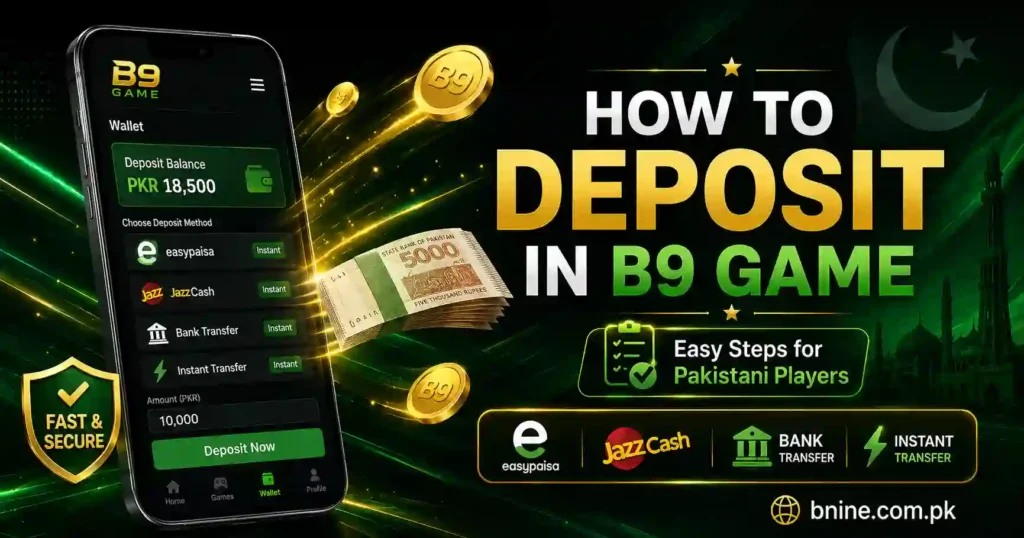
JazzCash and Easypaisa are commonly used because they allow users to transfer money through mobile wallets. Additional options may also appear depending on the account, app version, or current payment availability.
Before making a payment, always confirm the receiver details, deposit limits, and instructions shown on your own screen. Payment information can change, so never send money using an old screenshot or a number received from an unknown person.
This page covers only the process of adding money. For general information about the platform and its features, read our B9 Game Guide.
Requirements Before Making a Deposit
Complete the following checks before starting a transaction.
Use an Active Account
You need access to your registered account because the deposit section is normally available through the wallet or account dashboard.
Users who cannot access their accounts should first follow the B9 login guide. Do not create multiple accounts simply because you have forgotten your password.
Use the Current App Version
An outdated application may not display the latest payment options or transaction information correctly. Users who have not installed the app can follow the separate B9 Download and installation guide.
The download process is not repeated here because this guide is specifically about account deposits.
Keep Your Mobile Wallet Ready
Make sure your JazzCash or Easypaisa account has:
- Sufficient balance for the intended payment
- An active mobile number
- Access to the wallet PIN
- The ability to send money
- A stable mobile network or internet connection
Never share your wallet PIN or one-time password with another person.
Check the Displayed Deposit Limits
The minimum and maximum amount may be shown after you select a payment method. Enter an amount that falls within the limits displayed in your account.
Do not rely on an amount mentioned in an old article, video, social media post, or screenshot. Deposit limits can be updated without notice.
How to Deposit Money in B9 Game
The wording of menu options may vary slightly between versions, but the general deposit method usually follows these steps.
Step 1: Open Your Account
Launch the application and access your registered account. Confirm that you are using your own profile before making a payment.
Step 2: Open the Wallet Section
Look for an option such as:
- Wallet
- Deposit
- Withdrawal
Tap the option that opens the payment section.
Step 3: Select Deposit
Choose the deposit or add-money option option.
Step 4: Choose a Payment Method
Select one of the methods currently available in your account. Pakistani users see options such as JazzCash, Easypaisa or bank transfer.
Only use a method that is visible and active on your own deposit screen.
Step 5: Enter the Deposit Amount
Type the amount you want to add. Check the minimum and maximum limits before continuing.
Review the amount carefully because typing an additional zero can create a much larger payment than intended.
Step 6: Generate or Confirm the Deposit Request
Some payment systems first create a deposit order and then display the receiver’s details. Where this step appears, create the request before sending money.
Check:
- Receiver name
- Mobile wallet number or bank details
- Exact payment amount
- Order number
- Expiry time, if displayed
- Any special transfer instructions
Step 7: Send the Payment
Open your selected payment application and send the exact amount to the receiver shown on the deposit screen.
Do not use a payment number from a previous transaction. The receiver information may be different for a new order.
Step 8: Save the Transaction ID
After completing the transfer, the wallet application should display a transaction ID, reference number, or receipt.
Save it by taking a clear screenshot. This information may be required if the deposit remains pending.
Step 9: Check the Deposit Status
Open the wallet balance or transaction history and review the deposit status.
The status may appear as:
- Successful
- Processing
- Pending
- Failed
- Rejected
Avoid submitting the same deposit repeatedly while the first request is still being processed.
Why Is my Deposit Pending?
A pending status does not always mean that money has been lost. The transaction may still be waiting for verification.
Common reasons include:
Payment Is Still Being Checked
The receiver may have received the transfer, but the deposit system has not yet matched it with your account.
Incorrect Transaction ID
A missing digit, extra space, or incorrect reference number can prevent the system from identifying the transfer.
Wrong Payment Amount
Sending a different amount from the amount entered in the deposit order may cause a delay.
Receiver Details Were Outdated
Payments sent to a number copied from an older transaction may not match the current order.
Deposit Request Expired
Some payment instructions may remain active for a limited period. A late transfer can require manual verification.
Sender Information Does Not Match
Using another person’s wallet can make it harder to confirm who sent the payment.
Network or Server Delay
A weak connection may delay the submission of the receipt even when the wallet transfer has been completed.
Duplicate Deposit Requests
Creating several requests for the same transaction can make the payment history confusing and delay support assistance.
What to Do When Money Is Deducted but Not Added
Do not send another payment immediately. First collect the information needed to trace the original transaction.
Follow these steps:
- Check your JazzCash, Easypaisa, or bank transaction history.
- Confirm that the payment status is successful.
- Check the receiver number and receiver name.
- Compare the transferred amount with the deposit request.
- Copy the complete transaction ID.
- Take a screenshot of the payment receipt.
- Check the in-app transaction history.
- Wait for the displayed processing period, where one is provided.
- Contact support through the official in-app channel if the balance remains unchanged.
When contacting support, provide:
- Your account ID or registered number
- Deposit amount
- Selected payment method
- Date and time of payment
- Transaction ID
- Deposit order number, if available
- Clear screenshot of the receipt
- Current deposit status
Never send your account password, wallet PIN, complete payment PIN, or OTP.
What Happens If You Enter the Wrong Amount?
The result depends on the payment system and the difference between the requested and transferred amounts.
You Sent Less Than the Requested Amount
The payment may remain pending because it does not match the deposit order. Keep the receipt and contact support instead of sending the missing amount without instructions.
You Sent More Than the Requested Amount
Do not create another order to adjust the difference. Save the transaction evidence and request verification through the supported help channel.
You Entered the Wrong Amount but Did Not Pay
Cancel the request if a cancellation option is available, or allow it to expire. Create a new request with the correct amount before transferring funds.
Can a Deposit Be Cancelled?
A deposit request may be cancelled only before the transfer has been completed and where the account provides a cancellation option.
Once money has been sent successfully, the wallet transfer itself may not be reversible. Contact the relevant payment provider and the in-app support channel if the funds were sent to incorrect details.
Always verify the receiver information before confirming a payment.
Deposit Limits and Possible Charges
Do not publish or rely on a fixed minimum deposit unless it has been verified from the current deposit screen.
Limits can vary according to:
- Selected payment method
- Account status
- Current payment channel
- Promotional campaign
- Wallet provider restrictions
- System updates
JazzCash, Easypaisa, or a bank may also apply transfer charges under their own policies. Review the confirmation screen before authorizing the transaction.
Check Bonus Conditions Before Depositing
A deposit promotion may look attractive, but users should read its complete conditions before participating.
Check:
- Whether a bonus must be claimed manually
- The eligible deposit amount
- The maximum bonus value
- Eligible games
- Turnover or wagering conditions
- Promotion expiry
- Withdrawal restrictions
- Whether multiple promotions can be combined
Do not assume that bonus money can be withdrawn immediately. Promotional balances may have different conditions from the user’s deposited balance.
Important Deposit Safety Tips
Follow these precautions whenever you add money:
- Generate payment details from your own account.
- Recheck the receiver’s name and number.
- Do not use an old receiver number.
- Never share your wallet PIN.
- Never disclose an OTP to another person.
- Save the complete transaction receipt.
- Use a secure internet connection.
- Avoid payments through unknown social media agents.
- Do not install modified applications.
- Do not send repeated payments for one pending order.
- Check payment limits before transferring funds.
- Keep screenshots until the balance appears.
- Contact support only through a verified in-app channel.
- Never deposit money borrowed for essential expenses.
Responsible Deposit Practices
Real-money games involve financial risk, and winning is never guaranteed. A deposit should be treated as money that could be lost.
Use the following limits:
- Decide a spending budget before opening the app.
- Keep household and essential expenses separate.
- Never borrow money to continue playing.
- Do not increase the next deposit to recover a previous loss.
- Stop when you reach your planned spending limit.
- Review your transaction history regularly.
- Avoid making payments while angry, stressed, or under pressure.
- Use the platform only when you meet the applicable age requirement.
Depositing more does not guarantee a higher return. Responsible account management is more important than promotional offers or short-term results.
Conclusion
The B9 deposit process begins from the account wallet, where users select an available method, enter the amount and follow the current payment instructions. JazzCash and Easypaisa provide convenient local transfer options when they are displayed in the account.
The most important part of any deposit is accuracy. Verify the receiver information, transfer the exact amount and save the transaction ID before leaving the payment screen. If a transaction remains pending, avoid sending another payment and submit the original receipt through the official support channel.
Payment methods, limits and processing conditions can change. Always follow the information shown inside your own account and deposit only an amount that you can afford to lose.
Frequently Asked Questions
How do I make a deposit?
Open your account, enter the wallet or deposit section, choose an available payment method, enter the amount, follow the displayed transfer instructions and submit the transaction reference if requested.
Which payment methods can Pakistani users select?
JazzCash and Easypaisa may be displayed as local payment options. Bank transfer or another method may also appear depending on current account availability.
What is the minimum limit for deposit?
The minimum amount should be checked directly on the deposit screen because limits can vary according to the selected method and current payment channel.
Why is my deposit still pending?
A deposit may remain pending because of payment verification, an incorrect transaction ID, an amount mismatch, outdated receiver details or a temporary processing delay.
What should I do if money was deducted but not credited?
Confirm that the wallet transaction was successful, save the receipt and transaction ID, review the deposit history and contact the official support channel with complete payment evidence.
Can I deposit from someone else’s JazzCash account?
It is safer to use your own wallet because a different sender number or account name can make payment verification more difficult. Follow any account-specific instructions displayed before transferring money.
Should I send another payment when the first one is pending?
No. Repeating the payment can create duplicate transactions. Check the original transaction status and contact support with its reference number where necessary.
Are B9 deposits always instant?
Processing can depend on the payment method, network, verification system and current service availability. Check the status shown in your transaction history instead of assuming a fixed processing time.
Does a deposit bonus have withdrawal conditions?
A promotion may include eligible amounts, expiry dates, turnover requirements or withdrawal restrictions. Read the current promotion terms before claiming it.
Is it safe to share an OTP with support?
No. Never share your OTP, wallet PIN or account password. Genuine transaction verification should normally require information such as the transaction ID, amount, time and receipt—not your private security codes.